
Matador Jobs Pr- HelloWork Integration enables you to automate posting jobs to, and receiving applications from HelloWork’s job boards. This article is going to explain how to obtain, install and configure the extension.
Prerequisites:
First you’ll need to verify that your site meets the requirements for this extension
- Matador Jobs Pro All Access Subscription
- Matador Jobs Pro version 3.8.20 (or higher)
- Matador Jobs Pro – Syndication Feeds Extension version 2.2.0 (or higher)
- PHP version 8.1 (or higher)
How to download the extension
As with all Matador Jobs Pro extensions, you will need to make sure you have an All-Access subscription, are logged in to your account on matadorjobs.com, then go to the extension’s page and click on ‘download’. The Matador Jobs Pro – HelloWork Integration extension page can be found here.
Once you’ve obtained the zip file of the plugin, save it to your computer somewhere you can easily find it again.
How to install the plugin
Login to your WordPress site’s admin dashboard and navigate to ‘Plugins’ in the sidebar. At the top of the page you’ll see an ‘upload plugin’ button, click it, and then upload the zip file you downloaded in the previous step. When offered the opportunity to click the ‘activate’ button, do so.
Now navigate to Matador Settings’ Syndication Tab and scroll down until you reach the HelloWork Feed section:
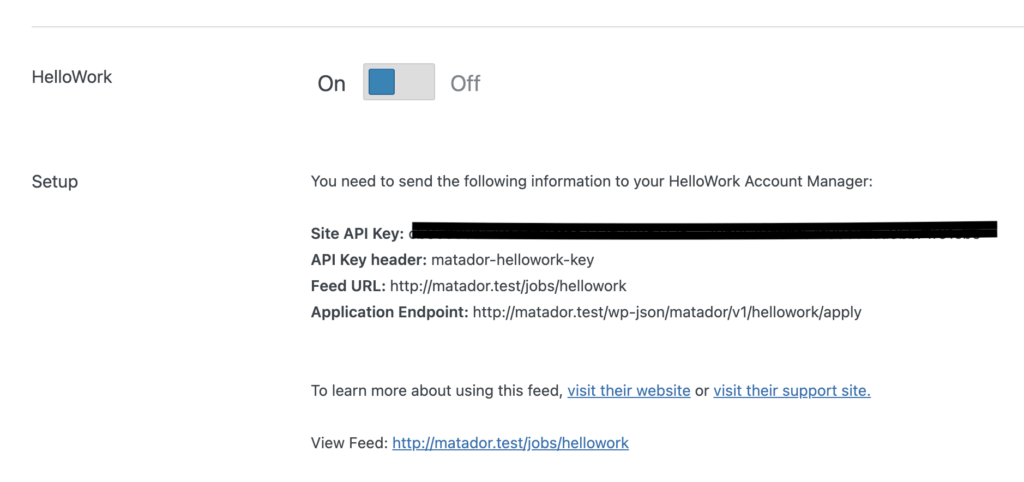
Switch on the feed, and then save the settings. Now you will need to reset the permalinks on your site: go to Settings in the sidebar, and click on Permalinks. Then simply click on ‘save changes’ without making any changes.
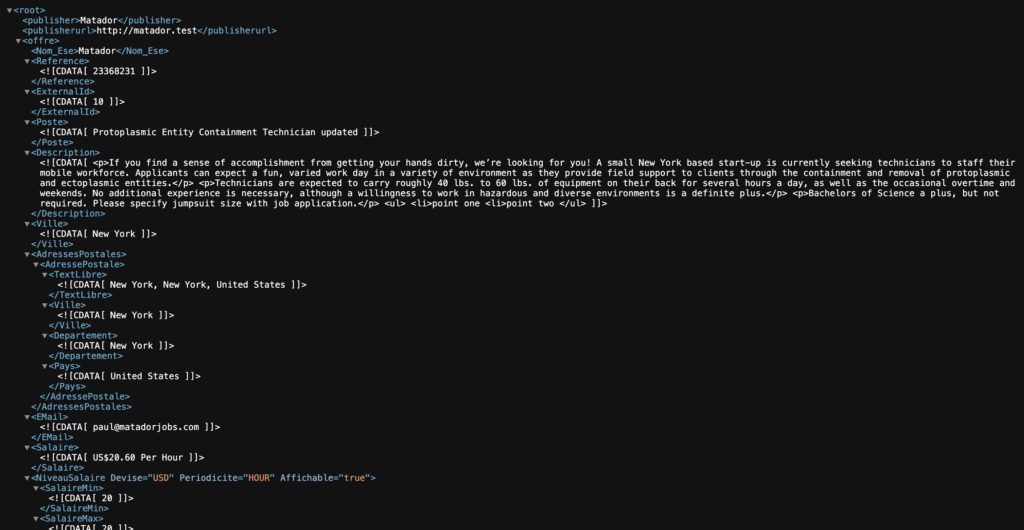
Once this is done you can go to the URL of your HelloWork Syndication (indicated in its settings section) to check that the feed contains your job’s data, you should see an XML feed ressembling this:
Connecting with HelloWork
Once you have the feed set up and visible, you will need to contact your CSM at HelloWork and ask them to integrate with your site: you will need to send them all the information cited in the HelloWork section of the Syndication Feeds tab in Matdor’s settings: Site API Key, API Key Header, Feed URL, and Application Endpoint.