
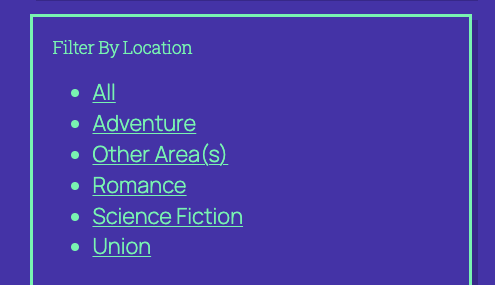
This block is for adding taxonomy filters to your jobs archive. These filters will restrict the jobs shown on the archive to the selected taxonomy term(s).
Settings
Chosen Taxonomy
This setting determines which taxonomy’s terms will be displayed
Label Text
This setting determines the label that precedes the taxonomy terms
Display As
This settings determines how the taxonomy terms are displayed. Options are
- List – outputs an unordered list of links
- Dropdown – outputs a select with the terms as options
- Multiselect – outputs a select with the terms as options, where it is possible to select multiple options at once
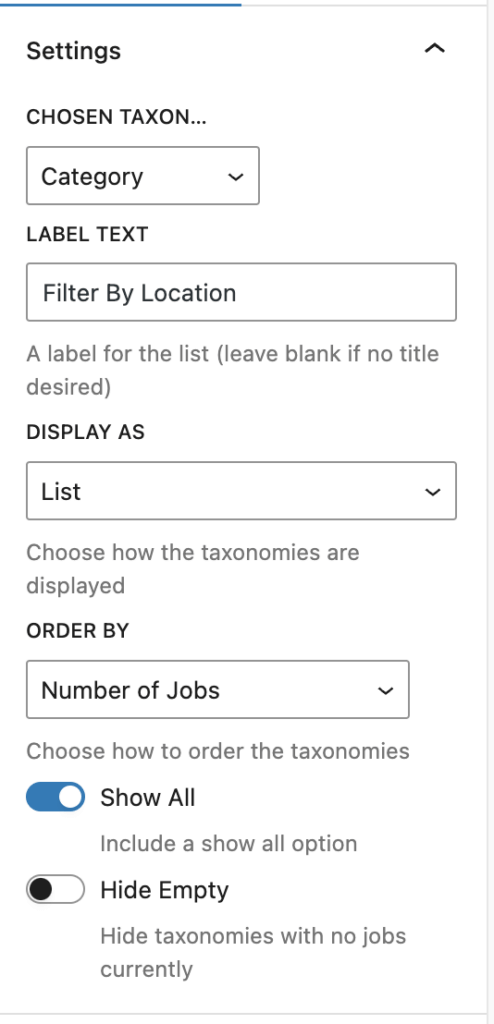
Order By
This setting determines the order in which the taxonomy terms are displayed. Options are:
- Name (a-z)
- Slug (a-z)
- Description (a-z)
- Number of Jobs (desc)
Show All
This setting can be used to determine whether a ‘Show All’ option is included in the list of displayed taxonomy terms. When one ore more terms are selected, this Show All’ option becomes a ‘Deselect All’ option.

Hide Empty
This setting determines whether terms which currently have no jobs associated with them should be displayed or not.
Method
This setting determines the behaviour of the filter. Three options are available:
- Filter – displays links to the current page with additional query args which will filter job results accordingly
- Link – display links to the WordPress taxonomy term archive page
- Value – displays the term names with no link
Styling
To style this block use the style tab in the block’s settings sidebar. This block declares support for many of WordPress’ core style controls.
If you are trying to achieve a particular style, but this is proving difficult, feel free to reach out to us for support here.