The shortcode [matador_portal] is the one shortcode to rule them all. It was introduced with Matador Jobs 3.8.0 and is used to easily generate a “job portal” with a list of jobs, paginated if needed, with search and filtering. It was added to simplify the creation of common layouts that would formerly require combining several other Matador shortcodes.
Parameters
headline: When given a value contained in quotes, will be used in any section where the headline value is passed. Default empty/none.
header: The header spans over and across the sidebar and content sections of the portal. It accepts a comma-separated list of possible values headline and search. When passed the headline value, the value of the headline argument is added inside of html <h2> tags. When passed search, a Matador search with keyword and submit button is added. Customize the search by typing search then a colon : and then a list of search fields separated by plus signs, eg: header=search:keyword+category+type. The default is header=search.
footer: The footer spans under and across the sidebar and jobs main. It accepts the same values as header. When passed the headline value, the value of the headline argument is added instead of html <strong> tags. Default is empty/none.
jobs: The jobs or content section is the main column of either a one-column or two-column layout under the header. Accepts a comma-separated list of possible values headline, jobs, and search. When passed the headline value, the value of the headline argument is added inside of html <h2> tags. When passed the jobs value, a card-based jobs layout is included. When passed search, a Matador search with keyword and submit button is added. Customize the jobs or search fields by passing the value, followed by a colon : and then a list of fields separated by a plus + sign, eg: jobs=search:keyword+categroy,jobs:title+description+job_general_location+apply. Default is jobs=jobs:title,content,link or jobs:title,info,content,link when the Matador Setting ‘Show Job Info Header” is true.
sidebar: The sidebar, if included, is the second column in a two-column layout under the header along with jobs. Accepts a comma-separated list of values including headline, $taxonomies, and search. When passed the headline value, the value of the headline argument is added inside of html <h4> tags. $taxonomies including the name of all possible Matador Taxonomies, which by default are category, location, and type but can also include any added by extensions including the Job Object Customizer extension. Taxonomies are included as a list of links that filter the jobs in the jobs section. When passed search, a Matador search with keyword and submit button is added. Customize the jobs or search fields by passing the value, followed by a colon : and then a list of fields separated by a plus + sign. Default is sidebar=category,location,type. Note: Sidebars created with this arg will display to the right of jobs.
sidebar_right: Alias for the sidebar argument. If this argument is passed in addition to sidebar and/or sidebar_left, the value from this argument will be used and sidebar will on the right. Default is empty/blank.
sidebar_left: Arguments are the same as sidebar and sidebar_right. Sidebar will be to left of the jobs in a two-column layout. If this argument is passed in addition to sidebar_right, the values from sidebar_right will be used and the values from this will be ignored. If this argument is passed in addition to sidebar, the values from this argument will be used. Default is empty/blank.
class: Add a custom CSS class name or names separated by spaces to assist in templating and theming. Arguments including spaces should always be contained in quote marks. Default is empty/blank.
Examples
Screenshots are from a default installation of Matador Jobs Pro 3.8.0 on the WordPress Core theme Twenty-Seventeen.
[matador_portal]The default job portal: a header with a search, sidebar with taxonomy terms filtering, and jobs in the middle.

[matador_portal header="search:text+category+location+type"]Customize the default portal search header with text, category drop-down, location drop-down, and employment type drop-down. The default sidebar of the list of taxonomy terms will show.
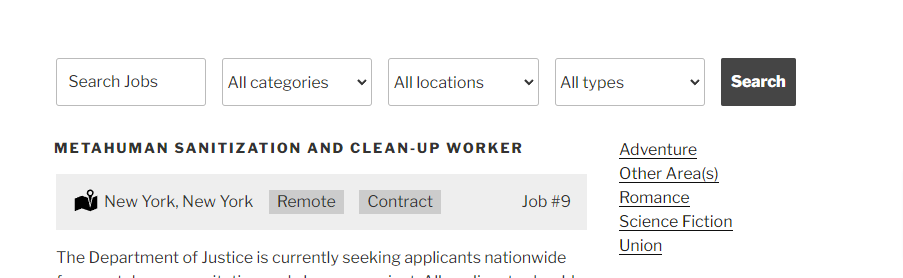
[matador_portal footer="search:text+category+location+type"]Add a search after the default portal with text, category, location, and type.

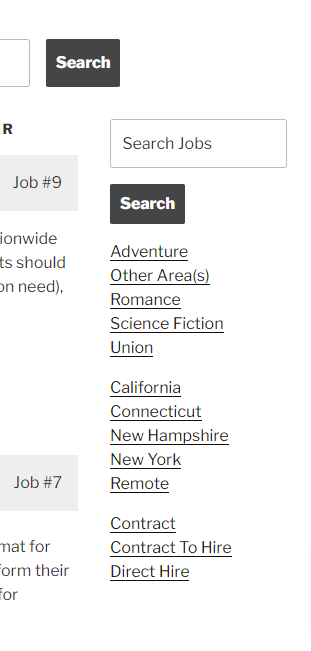
[matador_portal sidebar="search:text,category,location,type"]Add a text search to the sidebar.
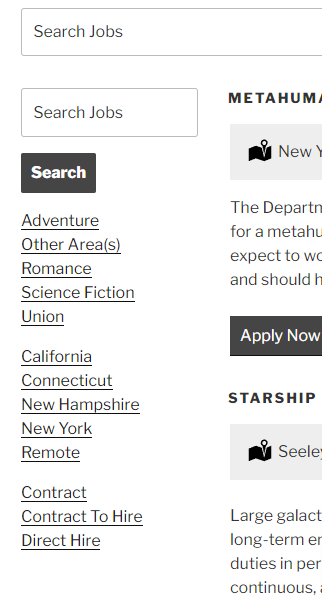
[matador_portal sidebar_left="search:text,category,location,type"]Use a left sidebar with search, category terms, location terms, and employment type terms.
[matador_portal jobs="jobs:title+excerpt+link"]Customize the jobs section to show the job title, excerpt, and apply (or more info) link.

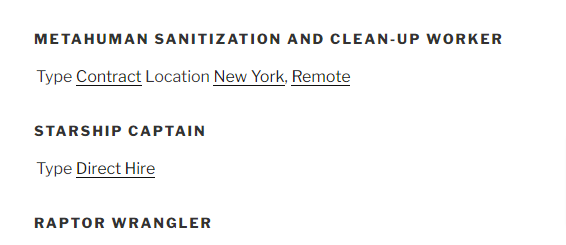
[matador_portal jobs="jobs:title+type+location"]Customize the jobs section to show only the job title, type, and location.
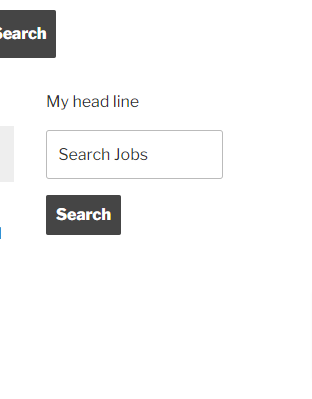
[matador_portal sidebar="headline,search" headline="My head line"]Customize the sidebar to have a headline. Set the headline with the headline parameter.